
Stack pictures
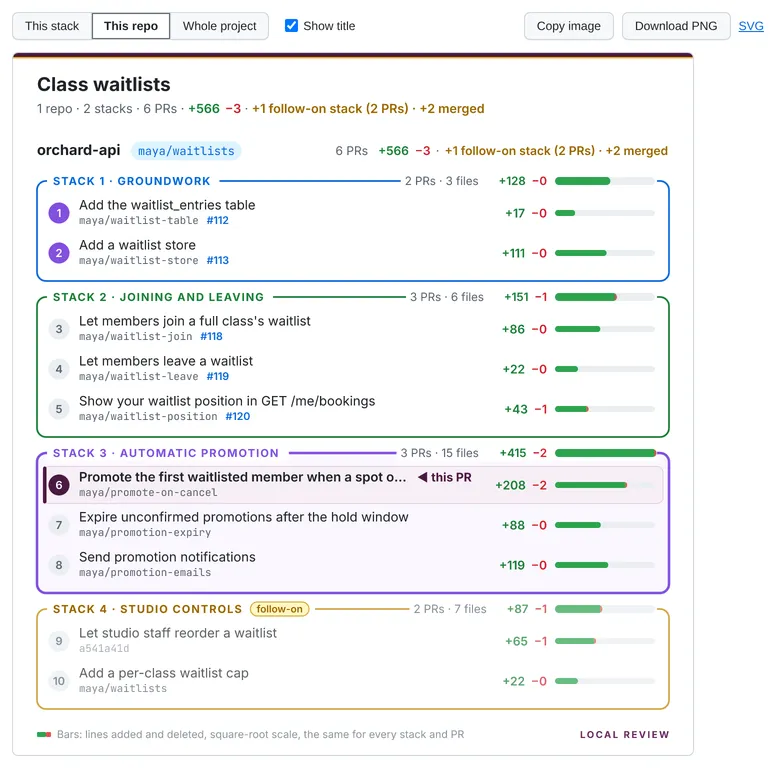
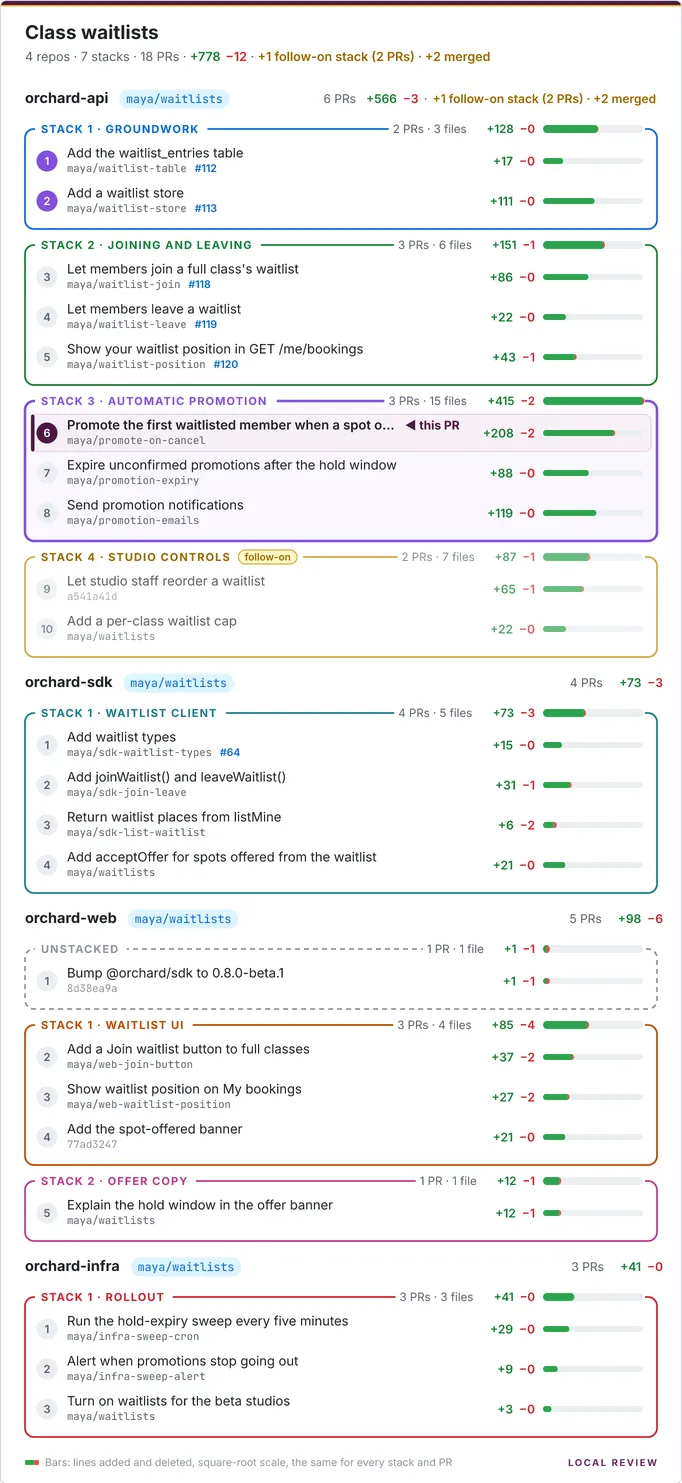
The Stack tab draws a picture of the project’s PR stacks, with the PR you’re on highlighted, and every PR’s size on one shared scale. Copy it as an image or download a PNG to paste beside a real PR, into Slack, or into a design doc. The Stack tabs of the project page and of each stack page show the same picture for the whole project, or for one stack.
The Stack tab
Section titled “The Stack tab”Open it with the Stack tab on any PR (?tab=stack). It’s like the sidebar, but wider:
- This PR is highlighted: a tinted row, ◀ this PR, and its stack’s border emphasised.
- Weights. Each stack’s title shows its weight (PRs, distinct files, +/−), and every stack and PR has a green/red bar on one square-root scale shared by the whole image, so weights are comparable across stacks and repos.
- This stack / This repo / Whole project (default: This stack) picks what’s in the picture.
- Show title turns the project heading and summary line on or off.
- Both choices are remembered (in localStorage, for every PR and project).
- Copy image puts the PNG on the clipboard; Download PNG saves it; SVG opens the SVG it’s drawn from.
Follow-on stacks are drawn faded, with a yellow follow-on tag, and the summary line
leaves them and merged PRs out of the totals and mentions them beside it
(2 repos · 4 stacks · 12 PRs · +3,300 −150 · +1 follow-on stack (2 PRs) · +9 merged). See
Totals.
On the project and stack pages
Section titled “On the project and stack pages”The project page’s Stack tab (/<project>?tab=stack) shows the picture for
the whole project, and a stack page’s (…/stacks/<ref>?tab=stack) just that stack.
Nothing is highlighted on either; both have Show title and the same Copy image / Download PNG, and an
SVG link to the picture as drawn. A
linked project’s project page and PR Stack tabs also have Show <predecessor>:
the stacks it builds on, drawn first in each shared repo, greyed out, unnumbered and left out of the totals.
The root page shows a much smaller thumbnail of each project instead: no titles
or numbers, just a lane per repo, a box per stack and a bar per PR, the same size however big the project is
(/api/projects/<project>/thumb.svg).
As an image URL
Section titled “As an image URL”The pictures are served by the HTTP API, so a script or an agent can fetch one:
curl -o stack.png "http://localhost:5622/api/projects/my-feature/stack.png" # whole projectcurl -o pr3.png "http://localhost:5622/api/projects/my-feature/repos/my-service/commits/0a1b2c3d/stack.png?scope=stack"curl -o s2.png "http://localhost:5622/api/projects/my-feature/repos/my-service/stacks/2-groundwork/stack.png" # one stackThe SVG is 680px wide and the PNG is drawn at 2x (1360px). Options: ?scope=project|repo|stack,
?scale=sqrt|linear, ?title=0, ?context=1 (a linked project: the predecessor’s stacks too, greyed) and
?download.
How they’re drawn
Section titled “How they’re drawn”On the server, so the picture looks the same everywhere: server/stackviz.ts builds an SVG string (no DOM; text is
measured and truncated with the glyph advances of the bundled fonts, read with opentype.js), and
@resvg/resvg-js turns it into a PNG (prebuilt binaries, no browser). The fonts are
bundled in server/fonts/ (Inter and
JetBrains Mono, both SIL OFL 1.1), and resvg is given only those, so the
output is identical on every machine. Characters they lack (emoji, CJK) draw as boxes.
The SVG names the same fonts, but a browser opening it uses whatever it has installed. From 0.6.1 it names generic
fallbacks after them (Inter, sans-serif and 'JetBrains Mono', monospace), so without Inter it uses the system’s
sans-serif font rather than a serif one.